Welcome to Healthcare Supply Manager
The complete cross-platform solution for managing medical supplies with smart barcode scanning, expiration tracking, and inventory analytics.
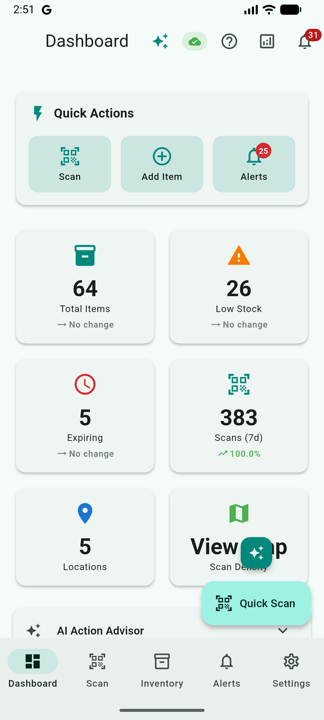
Getting Started
Install the app, grant permissions, sign in with Google or Apple, and add your first inventory item.
Read guide →Barcode Scanning
GS1 healthcare barcodes, stacked UDI support, batch scanning, shelf scanning, and 3D AR overlay.
Learn more →Inventory Management
Track supplies by location, manage quantities, record usage with reasons, and review archived items.
Explore →AI Features
Read product labels with AI, auto-classify new products, and group functional equivalents.
Discover →Team Workflow
Share inventory with your staff, assign roles & permissions, and review a complete audit trail.
Set up a team →Alerts & Expirations
Configure expiration alerts, understand FEFO guidance, and never miss critical dates.
Set up alerts →Reports & Export
Generate inventory reports, view usage analytics, and export data to CSV format.
View reports →FAQ & Troubleshooting
Find answers to common questions and solutions to technical issues.
Get help →Quick Start Guide
Sign In
Sign in with Google or, on iOS, with Apple. Cloud sync starts automatically.
Grant Camera Permission
Allow camera access so the scanner can read GS1, DataMatrix, and QR barcodes.
Scan Your First Item
Point the camera at a barcode. If lot or expiration are missing, the AI Label Reader fills them in from a photo of the label.
Add to Inventory & Set Alerts
Save the item, then configure expiration thresholds in Settings to receive proactive alerts.